 NameSense
Batch file renamer for Mac
Batch rename on Mac.
Set the rules once.
Build clear file names from dates, counters and optional AI. Save rules and preview every change.
macOS 13 or later · Free for 3 files per batch · No account required
A LITTLE CLARITY
See the difference a name makes.
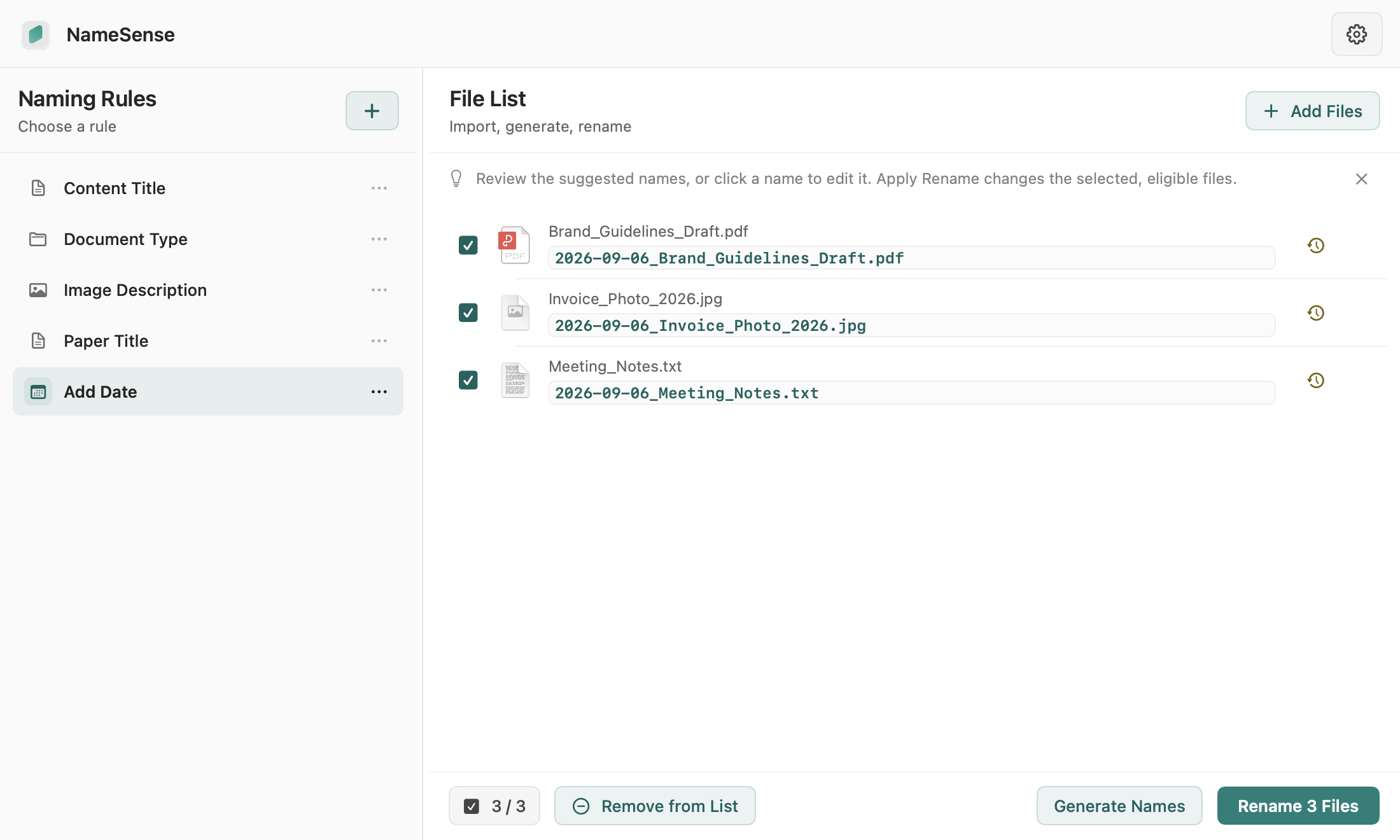
Choose a workflow, from adding dates to naming by content.
notes.txt
2026-09-06_notes.txt
Add the creation date to the original name. Runs locally, without AI.
Explore this workflowdocument_014.pdf
Report_Solar Cell Research.pdf
Use the built-in Document Type rule to identify the type and suggest a title. Requires your own AI provider.
Explore this workflowIMG_2048.jpg
Coastal cliffs.jpg
Use the built-in Image Description rule to describe the picture. Requires a vision-capable AI model.
Explore this workflowIllustrative examples. Results depend on your files, rules and model.
Works with PDFs, common images, Office documents and text.See supported formats
A FAMILIAR FLOW
Three steps to clearer file names.
Choose your rule
Start with a built-in rule, or save your own naming pattern.
Learn to build a naming ruleAdd your files
Drag in the files you want to rename.
Preview. Then apply.
Review the suggestions, then apply. Eligible changes can be undone.
Try a preview, rename and undoPricing
Start free. Upgrade when you need more.
Both plans include local rules and built-in AI. Pro adds larger batches and custom AI generation.
Early-bird price · One-time purchase, no subscription
| Features | FreeUS$0Free forever | NameSense ProUS$3.99Standard price US$19.99 |
|---|---|---|
| Files per batch | Up to 3 | Unlimited |
| Custom AI generation | Not included | Included |
| Local naming rules | Included | Included |
| Built-in AI naming | Included | Included |
AI requires your own API key. Provider charges are separate; Pro includes no AI credits.
View pricing and featuresQuestions you might have.
Can I use it without an AI key?
Yes. Local rules use dates, counters and file details without AI. Set up your own provider and API key when you want AI features.
Does it rename my files immediately?
No. Generating names only creates a preview. Files change after you confirm; resolve duplicate or invalid names first.
Can I undo a rename?
Eligible changes can be undone from history. Moving or renaming the files in another app may prevent a safe restore.
Are my files uploaded to NameSense servers?
No. Local rules run on your Mac. With your consent, AI content goes directly to your configured provider. Original names are sent only if you enable that option.