 NameSense
Choose the provider and enter its API key
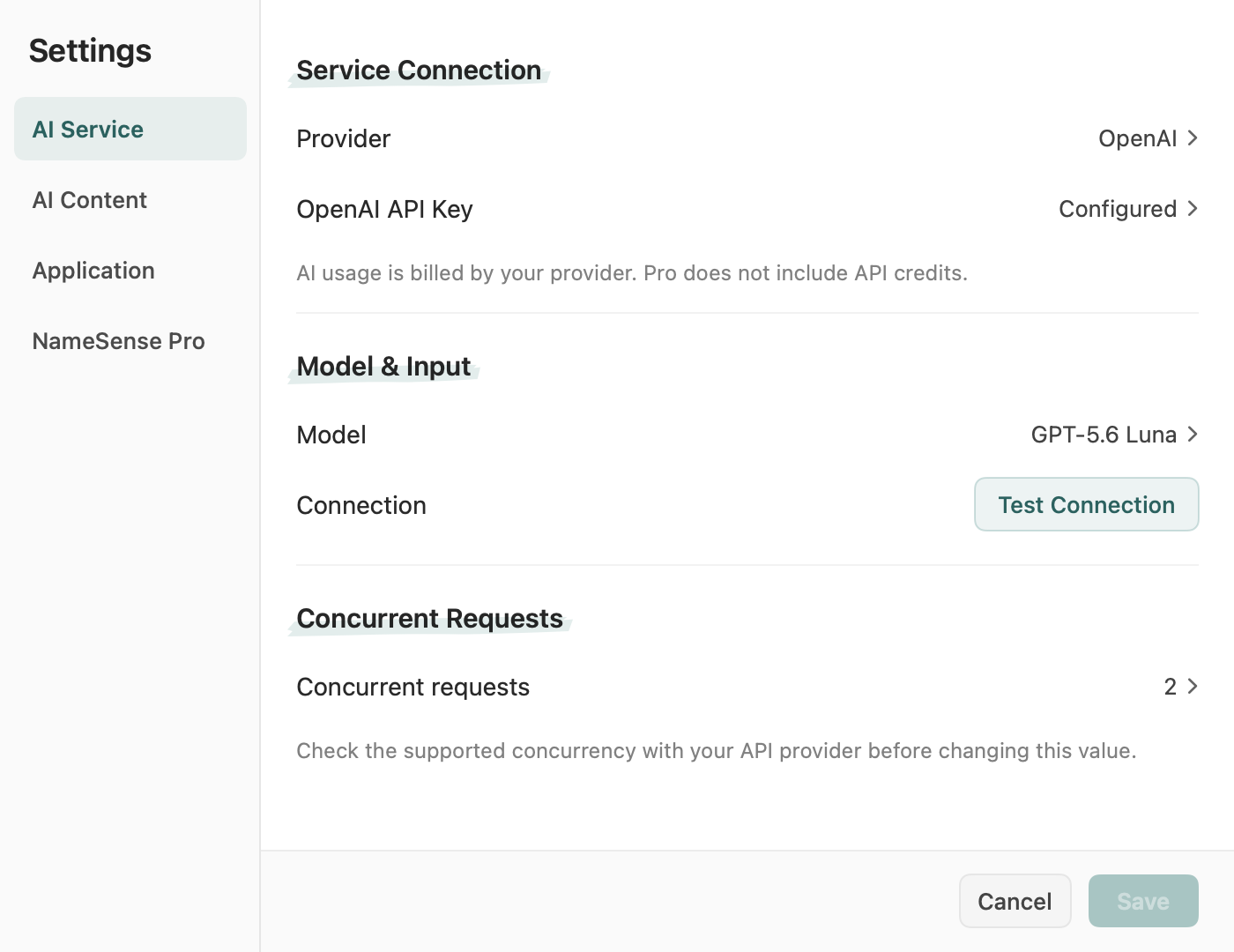
Open Settings → AI Service. For a hosted provider, choose the service you actually use and enter the API key issued for that service. Local date, prefix and numbering rules need no AI setup.
- Check API access and available credits in that provider’s dashboard. A key for one provider does not authenticate another. Pro does not include provider credits; check the pricing page if you are unsure which charge you are seeing.
- Keep the official service preset unless you intentionally use a gateway. For a custom service, use the address and compatible API protocol documented by that service. Do not substitute a chat website address or send your key to an unfamiliar endpoint.
- Save any credential edits, then save the settings. Keys are stored in the Mac Keychain. If a save error appears, resolve it and reopen the settings to confirm the selected service and model were retained.
Match the model to the input
Choose a model your account can access. For a custom model, use its exact model identifier from the provider, not a display name from a chat app.
- Readable text can use a compatible text model. Image Description and any PDF page images sent for analysis need a model that accepts image input. A successful text request does not verify vision support.
- For an unknown or custom model, confirm its supported input types with the provider. Changing a vision setting cannot add image capability to a text-only model. File extraction and reading limits still apply even with a compatible model.
Test the connection, then one file
Click Test Connection and wait for the result. The test may send a request and incur provider charges. For hosted services it checks a small request, not your full PDF or image workflow.
- If the test fails, match the message to the troubleshooting table below. Fix the relevant setting or account issue before repeatedly testing or starting a batch.
- Save the settings. Select a built-in AI rule such as Content Title, add one short, non-sensitive text file, and review the data-sharing scope below before clicking Generate Names.
- Compare the suggestion with the source text. A generated suggestion leaves the file unchanged; review it before applying a rename. If the connection succeeds but the file fails, use the file-specific checks below.
Check the content and destination before sending
Before the first request to a destination, review its address and the data-sharing confirmation. Required text, metadata or previews go directly to your configured service. Original filenames are included only when that option is enabled.
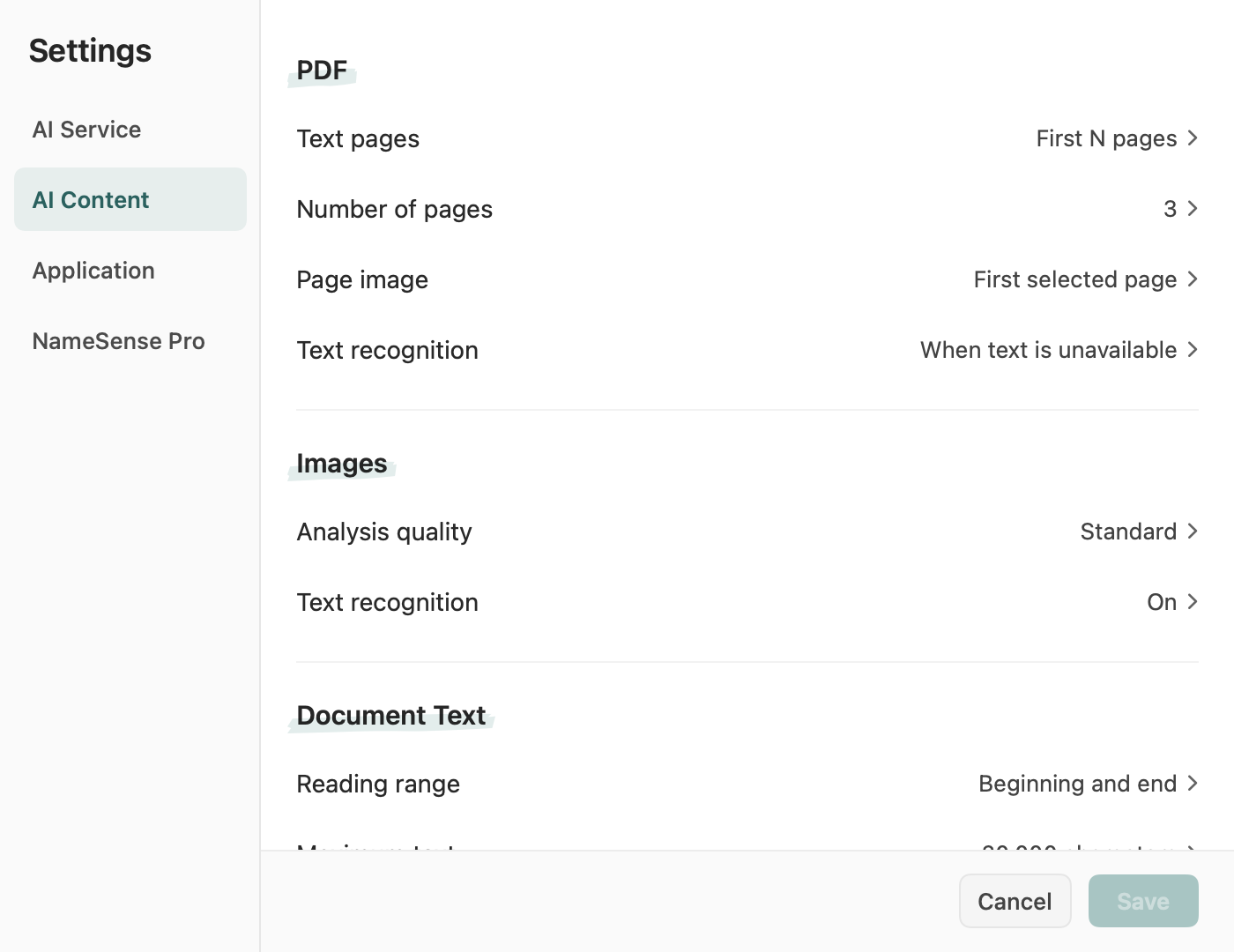
- In Settings → AI Content, check selected PDF text pages, page images and OCR. A title beyond the selected pages may never reach the model. For a scan, check legibility and text recognition rather than assuming the PDF contains readable text.
- Check image analysis quality and the document-text reading range. Start with enough content to answer the naming task, then use a small practice file to verify it. Reducing input can help with size limits, but removing the relevant page or text also removes the evidence for a good name.
Troubleshoot the connection or request
Use the error message to choose the next check. Different providers may report the same problem differently. Change one thing at a time and retry with one small practice file after correcting it.
Scroll sideways to see the full comparison →
| Message or symptom | What to verify | Recovery step |
|---|---|---|
| Authentication or access denied | The provider, key, account permissions and endpoint belong together. | Enter the correct key for that service, save and test again. If access is denied, verify model/API access with the provider; repeated retries cannot grant permission. |
| Insufficient quota or balance | The provider’s API balance and account spending limits, separate from NameSense Pro. | Resolve the account or quota issue with the provider before retrying. A smaller batch does not restore exhausted credits. |
| Rate limit / too many requests | The provider’s request limits and other tasks using the same account. | Wait for the provider’s limit to reset, then retry one file. Lower concurrent requests if your version offers that setting; do not repeatedly launch the same batch. |
| Model unavailable or image input rejected | The exact model ID, account access and support for image input. | Choose an available model suited to the input. Test text first, then a small image if needed. A vision toggle cannot make a text-only model understand images. |
| Timeout, network or service error | Whether the service is reachable and a small request works; check the provider’s status if available. | Wait for a temporary outage to recover. Retry one small file; for input-size errors, reduce reading pages or text while keeping the needed content. If even the connection test fails, recheck the service address. |
| Invalid or unreadable response | Whether the chosen service and model support the app’s expected API response, and whether a built-in rule works. | Try one short text file with a built-in AI rule. If it still fails, record the provider, model and exact message for support. Avoid retrying the same large batch without changing the cause. |
Connection succeeds, but a file still fails
A connection test cannot prove that the file is readable, that the useful content is included, or that the model supports the actual input.
- Try the same AI rule with one short readable text file. If that also fails, recheck the saved provider and model and use the request-error table. If it works, focus on the failing file and its selected input scope.
- For PDFs, check encryption, readable text or OCR, selected pages and any page image being sent. For images, check that the file opens and the model accepts images. Consult supported formats for extraction limits; importing a file alone does not verify AI analysis.
- If a small valid input still fails, contact support with the provider, model, file type, selected rule, exact error and whether Test Connection succeeded. Share an anonymized example when possible; do not include your API key or private document.
Continue with a PDF or image workflow
Once a small request works, use the PDF guide to choose existing metadata or content-based naming, or the image guide to choose local dimensions and numbering or a vision description. Check each suggestion before applying; add more files only after the small example behaves as expected.